Published by Nexcey Editorial Team · Researched & Fact-Checked · Editorial Standards.
An audit should leave you with decisions, not just screenshots. The useful output of a UX audit is a set of problems another person can understand, reproduce and prioritize. Start with customer tasks, gather evidence and describe the consequence of each issue. A recommendation becomes easier to assess when its reasoning is visible.
1. Define scope and success
Choose pages, audiences, devices, and tasks. Record the business measure and the user outcome; a task can be technically completed yet remain slow, uncertain, or frustrating.
2. Collect available evidence
Review analytics, search queries, form completion, privacy-respecting recordings, support tickets, sales objections, interviews, and earlier research. Segment by device, channel, and landing page. When audit findings point to systemic architectural issues, consult our website redesign vs rebuild decision framework.
3. Map the critical journey
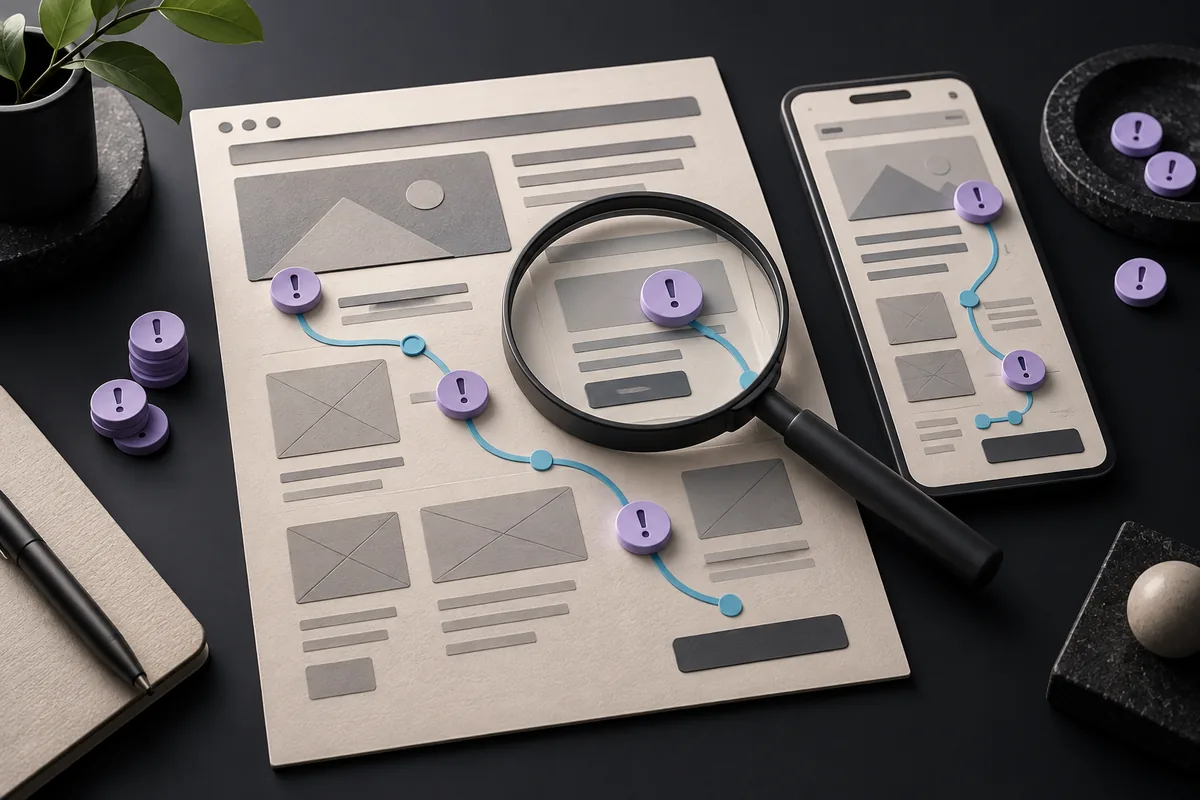
List steps from arrival to outcome, including decisions, errors, and offline handoffs. Improving a button cannot fix a delayed response or unclear confirmation.
4. Review orientation and navigation
Check whether each page states its purpose, shows context, uses meaningful labels, and offers a logical next step. Test menus, search, footers, and internal links with unfamiliar users.
5. Review content and comprehension
Look for jargon, missing context, unsupported claims, dense passages, ambiguous headings, and mismatches between ads, search snippets, and landing pages.
6. Review interaction and forms
Test keyboard access, focus order, labels, instructions, validation, error recovery, and success feedback. Use realistic data and remove fields not required for the next step. Audit your above-the-fold value proposition against our proven benchmarks for small-business homepage design.
7. Review mobile behavior
Test narrow screens and zoom. Check menus, tables, accordions, modals, media, tap targets, and whether the most important content appears early.
8. Review accessibility
Check headings, landmarks, alternatives, contrast, keyboard operation, visible focus, labels, errors, captions, and motion. Automated tools identify only some issues.
9. Review performance and reliability
Measure important templates, investigate Core Web Vitals, test slow connections, and verify links, forms, errors, and third-party dependencies.
10. Prioritize findings
Rate issues by user harm, business impact, frequency, confidence, and effort. Include evidence, affected task, recommendation, owner, and verification method.
Practical checklist
- Scope defined around priority tasks
- Analytics and customer evidence reviewed
- Critical journeys mapped
- Navigation and content tested
- Forms and mobile checked
- Accessibility documented
- Performance investigated
- Findings ranked
- Owners and validation measures assigned
Worked example: auditing a service-business enquiry journey
Imagine a prospective customer lands on a web-design company homepage from Google on a phone. Their job is simple: understand what the company does, decide whether it looks credible, and request a quote. A useful UX audit follows that task from start to finish instead of judging isolated screens.
Step 1: write the task before reviewing the page
Use a sentence such as: “A first-time mobile visitor should be able to understand the service, see evidence of capability, and reach a low-friction enquiry form without guessing what happens next.” This gives the audit a standard. Without it, feedback quickly becomes personal preference.
Step 2: record evidence, consequence, and priority
| Observation | User consequence | Priority |
|---|---|---|
| The hero says “transform your digital future” but does not name the service. | A new visitor must infer whether the company offers web design, software, marketing, or consulting. | High |
| The portfolio appears after three large promotional sections. | Visitors looking for proof must scroll past claims before seeing evidence. | Medium |
| The enquiry form asks for 11 required fields. | Mobile completion takes longer and people without a fixed budget cannot proceed comfortably. | High |
| The submit button says “Submit”. | The action works, but the next step is unclear. | Low |
Notice that each finding describes an observable condition and a likely effect. “The page feels confusing” is weak because another reviewer cannot reproduce it. “The service is not named until 620 pixels below the first viewport on a 390-pixel-wide device” is stronger because the problem can be checked.
Step 3: turn findings into testable recommendations
A recommendation should be specific enough to test but not so prescriptive that it prevents a better design solution. For example: “Name the primary service in the hero and place one piece of relevant proof within the first two sections” is better than “make the hero bigger.” For the form, test reducing required fields to the minimum needed for a first reply, then move detailed discovery questions to the follow-up conversation.
A simple scoring model for prioritization
When an audit produces 20 or 30 findings, rank them with three questions: how many users encounter the issue, how severely it interferes with a task, and how central that task is to the business. Score each from 1 to 3 and multiply the values. A problem seen by almost everyone (3), that blocks completion (3), on the main lead-generation journey (3) scores 27 and should usually outrank a cosmetic issue seen by a minority of visitors.
This is not scientific usability research; it is a practical way to stop the loudest opinion in the room from determining the roadmap. Keep the scoring rules visible in the report so stakeholders can challenge the assumptions rather than arguing over labels.
The 20-minute audit when you do not have analytics
- Open the site in a private window on a phone-sized viewport.
- State the main task in one sentence.
- Try to complete it without using prior knowledge of the business.
- Write down every moment where you must stop, interpret, zoom, wait, backtrack, or wonder what happens next.
- Repeat on desktop and with keyboard-only navigation.
- Choose the three issues most likely to affect comprehension, trust, or completion.
A short audit like this cannot replace analytics, interviews, or moderated usability testing, but it can reveal obvious friction and create a useful backlog. The important part is to separate what you actually observed from what you infer about the cause.
An evidence ladder: what makes a UX finding stronger
Not all audit evidence carries the same weight. A reviewer’s heuristic observation is useful for finding possibilities, but it is weaker than repeated behavior seen in user testing or a clear pattern in completion data. When possible, label the evidence behind each finding. For example: “heuristic review only,” “seen in three of five usability sessions,” “supported by 38 support tickets,” or “form analytics show a 46% abandonment point at the budget field.” This prevents a plausible opinion from being presented as a proven cause.
A practical evidence ladder is: direct task failure, repeated user behavior, behavioral data, customer-support or sales evidence, then expert heuristic review. Lower levels are still valuable; they simply deserve more cautious language. A good report might say, “The mobile navigation may be contributing to missed service discovery; validate with menu interaction data or a short usability test.” That is more credible than asserting certainty the audit does not have.
What to include in the final audit deliverable
- A one-page summary naming the three to five highest-impact issues.
- A finding log with URL/device, evidence, severity, user consequence and recommendation.
- Annotated examples only where the visual context helps another person reproduce the issue.
- A “not tested” section stating important limitations such as no analytics access, no customer interviews, or no assistive-technology testing.
- A prioritized action list separated into quick fixes, design changes and items requiring further research.
This last point is important for trust. An audit becomes more useful when it says what it cannot know. If you reviewed five templates but not the logged-in account area, state that clearly. If analytics are absent, do not manufacture confidence from design heuristics.
Re-audit after changes
Keep the original task and success criteria, implement the highest-priority changes, and repeat the same journey. Compare task completion, errors, support questions, conversion steps or qualitative feedback where available. The point of an audit is not to produce a beautiful PDF; it is to create a before-and-after loop that improves the experience.
Frequently asked questions
How long does a UX audit take?
A focused review may take days; a complex product can require weeks. Scope, research access, and journey count determine effort.
Can I audit my own site?
Yes, but familiarity creates blind spots. Combine internal review with customer evidence and observation of people outside the team.
How is a UX audit different from usability testing?
An audit combines multiple evidence sources and expert review. Usability testing observes participants attempting representative tasks.
What belongs in the final report?
Scope, methods, evidence, findings, severity, recommendations, priorities, owners, and a plan to verify improvements.
Take the next step
Request a UX review from Nexcey.
Sources & further reading
Separate an observation from an explanation
“Three participants missed the delivery information” is an observation if you actually ran that study. “The heading is too small” is a possible explanation. Keep those separate so the team can consider more than one repair. The information may be in the wrong place, use unfamiliar language or appear only after a decision has already been made.
When you have no user research, describe the finding as an expert hypothesis rather than pretending it was observed. State how you would verify it. A small business can start with a handful of representative tasks and unfamiliar readers; the purpose is to uncover obstacles, not to turn a small exercise into statistically representative research.
Write a finding another person can reproduce
A UX finding should include the conditions and the consequence. “The mobile experience is poor” is too broad to act on. The example below is fictional and demonstrates a report format rather than a defect measured on Nexcey.
| Field | Example |
|---|---|
| Task | Find the service area using the mobile menu |
| Observation | The menu opens over the close control |
| Impact | The user cannot return to page content |
| Recommendation | Keep the close control visible and keyboard reachable |
| Verification | Repeat on a narrow viewport with touch and keyboard |
UX finding worksheet
Use this editable worksheet to apply the guide to your own project. It is a plain-text file; no signup is required.
Download ux finding worksheetContinue with a related guide
- Small-Business Web Design: The Complete Conversion-Focused Guide
- Technical SEO for Small-Business Websites: A Beginner-Friendly Guide